Showing posts with label Forensics. Show all posts

Tuesday, April 10, 2012

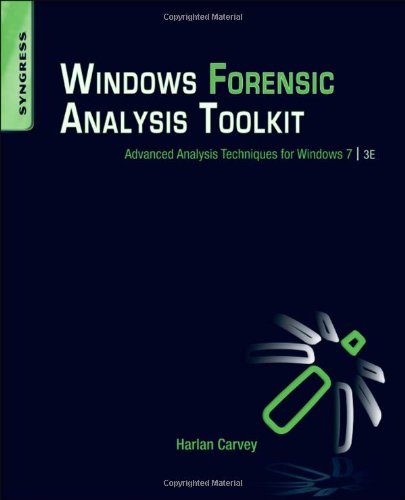
Review of Windows Forensic Analysis and Windows Registry Forensics


     Both "Windows Forensic Analysis (Third Edition)" and "Windows Registry Forensics" are authored by Harlan Carvey and he is the author of a few other books regarding digital forensics.  This will be a short review of both books.  I really enjoyed both of these books.  If you've ever read anything from Harlan, his writing style is very easy to follow and understand.  Each book is laid out in a manner that makes sense as far as being applied practically.

     Windows Forensic Analysis is the third installment to Harlan's Windows forensics books; however, as he says in the intro you should think of it as a companion to the second edition rather than a re-write replacement. This book includes all the latest and greatest information from the latest Windows 7 release.  Things like volume shadow copies, application analysis, and a summary of registry analysis provide great insight on Windows Artifacts.  Chapters on malware detection and timeline analysis are especially exceptionable.

      Windows Registry Forensics, I like to think of it, is an extension to Windows Forensic Analysis books.  The Windows registry is a treasure trove of evidence for analysis.  Registry forensics does an excellent job of not only outlining most of the artifacts that are known about, but gives you a background on available tools that can be used to analyze these artifacts.  The case studies are especially helpful in relating the discussed artifacts to practical experience.

      Both books are fantastic, and I would highly suggest adding them to your digital forensics library and put them next to at least the second edition of Windows Forensic Analysis.  Honestly, I feel like all three books should be considered one big compendium on Windows digital forensics.  I would also say that, at this point, there isn't a better collection of material on the subject of Windows analysis.  If possible, I would recommend setting up a lab with various Windows machines so you can test and play with all of the artifacts you will learn about.  Also, that will give you a chance to install the various tools mentioned in the text and test them out for yourself.

Friday, May 27, 2011

Road to CCE, Pt. I: Review of Handbook of Digital Forensics


                “Handbook of Digital Forensics and Investigation”, by Eoghan Casey is a fantastic read.  I had recently completed Brian Carrier’s, “File System Forensic Analysis,” (also an amazing book) and was looking for something a bit less in-depth and more of a general digital forensics book.  Luckily, I got a recommendation from Eric Huber over at the ‘A Fistful of Dongles’ blog for this book, as well as, a few others; you can read his review of the book at Amazon.  I really enjoyed this book a lot, and it was exactly what I was looking for; an overview of the wide variety of topics that encompass digital forensics.  Casey had accumulated a great text from a wide variety of contributing authors and put it in volume that will take you through common topics in digital forensics including anything from data gathering to embedded systems analysis.

            Casey begins with an introduction that included a brief of what the book will include and the basics of a forensic examination.  Chapter 2 covers the importance of tried and tested methodologies and some of the complications that arise that arise with digital forensics when gathering and maintaining forensically sound evidence.  The electronic discovery chapter includes an overview of what E-discovery is and what it includes and gives you a great look at how large an E-discovery can be both in examination and cost.  Chapter 4 discusses the use of forensics in incidence response, and the importance maintaining files rather than utilizing the “wipe and re-install” mentality. 

            Part 2 of the book breaks away into the nitty-gritty technical end of forensics, at least as much as it can as an intro level book.  Chapter 5 covers the Windows operating systems and what you’re going to want to look for in an investigation, a sort of areas of interest sort of thing and explaining what those files are.  The next chapters do the same thing with the other main operating systems, both UNIX/Linux and Macintosh systems.  Chapter 8, for me, was really interesting.  It goes over the type of methodologies that will be utilized in an embedded system investigation with things like chip-off techniques and such.  The next chapter discusses network investigations and will show you the types of things you can discover through analyzing network traffic in your investigation.  The final chapter will point out areas of interest to be found in mobile devices. 

            This book is great in that it points out key areas you should be looking for within an investigation.  I particularly loved the “From the Case Files:” sections that give you a real world example of where you would use this knowledge that you’re reading about.  Even more, I LOVED the “Practitioner’s Tip,” sections.  For me, as a student, getting these little tips from experienced forensicators are invaluable.  Those tips, to me, were the best part of the book and was the like cherry on top of a sundae.  I felt the book was very well done.  My one criticism were the amount of output files, sometimes they seemed a bit long but appreciate what they were trying to do with it.  Other than that I would recommend this book to anyone looking to get into the digital forensic field, like myself.


________________________________________

I chose this book to begin my road towards gaining my Certified Computer Examiner certification.  I hope to complete the certification by the end of the year.  Right now my plan includes reading the following:
  • Handbook of Digital Forensics and Investigation by Eoghan Casey (Completed)
  • File System Forensic Analysis by Brian Carrier (Completed)
  • Windows Forensic Analysis by Harlan Carvey (In-Progress)
  • Digital Forensics by Cory Altheide and Harlan Carvey
Open finishing these works, I plan on working on practical application.  So look for more on these books and possibly some examples from my practice sessions.  Any recommendations and comments are welcome.  Enjoy memorial day weekend! 

Sunday, April 3, 2011

Jump Lists in Windows 7 and Possible Forensic Implementations

As many of you who would be interested in this post may know, many important things involving a forensic investigation can be found within the registry.  One location that holds a ton of good information that would relate to how a user is utilizing their PC can be found within the NTUSER.DAT file.  To gain access to the information found on the NTUSER.DAT file, we first need to acquire the file at either C:\Document and Settings\<USER NAME> (for Windows XP) or C:\Users\<USER NAME> (for Vista/Win7).  Natively you will not see this file, so you’ll want a forensic program such as FTK Imager to acquire the file (using FTK Imager:  right-click file and export the file to your desired location).  Once the file has been acquired, you can run it through a program called RegRipper by simply adding the path to the NTUSER.DAT file you acquired, selecting an output, and selecting the proper NTUSER.DAT plugin.  This will output a great text file with a wealth of knowledge an examiner can use in an investigation. 

One great piece of information one can access with this analysis is the recent documents a logged in user can access.  Using RegRipper on my Windows 7 machine I was able to come up with this information on files I’ve last accessed:


This is a great piece of information to have because it can implement a user to accessing a specific file. 

                Windows 7 adds some great new features; this post is going to focus on Jump Lists.  What are jump lists?  In Windows 7 you may have noticed those neat additions to your right-click menu, like recent history and in few instances application options.  These are jump lists, application specific tasks that are added to a programs right click menu.  I provide a few examples of these jump lists below:


Now you’ll notice that the Google Chrome jump list offers more options than that for Explorer.  It is important to note, that only some applications will take use of this feature.  Jump lists are great for accessing your recent/frequently used objects for several applications quickly.  It’s possible that one would assume that this information is pulled from the NTUSER.DAT file which contains recent document information.  This is not the case, examination of the PC will reveal that the jump list information at C:\Users\<USER NAME>\AppData\Roaming\Microsoft\Windows\Recent Items :        


This redundancy provides examiners with something quite vital.  For instance, if a system has CCleaner installed on it, CCleaner is set to delete Recent Document upon default.  So, a quick run of CCleaner and all of this information is wiped (including the secondary location at C:\Users\<USER NAME>\AppData\Roaming\Microsoft\Windows\Recent Items); something quite possible in a case where malicious content is being stored on PC..  However, with the secondary location on the PC can provide an examiner with something recoverable, a link (LNK) file.  Upon examination of the path some LNK files are going to be recoverable within the Recent Items folder.  This may be able to cause an association to a User to a particular file.


Recent Document information can also be found at:  C:\Users<USERNAME>\AppData\Roaming\Microsoft\Windows\Recent\AutomaticDestinations
Examining this location with FTK Imager we can see something like this:


As seen above, examining these files at the hex level we will see the location of a file I recently opened.  In my case we see I recently opened an NTUSER registry rip from RegRipper. This is great bit of information to retain.  Again, this can help show a user was accessing certain files.

For more information on Windows 7 Forensics take a look at this paper on the topic by Piotrek Smulikowski.  You'll find more info on Jump Lists at page 23.